> ## Documentation Index
> Fetch the complete documentation index at: https://docs.pushcash.com/llms.txt
> Use this file to discover all available pages before exploring further.

# Process a stored card

<div className="Goal">
  ## Goal

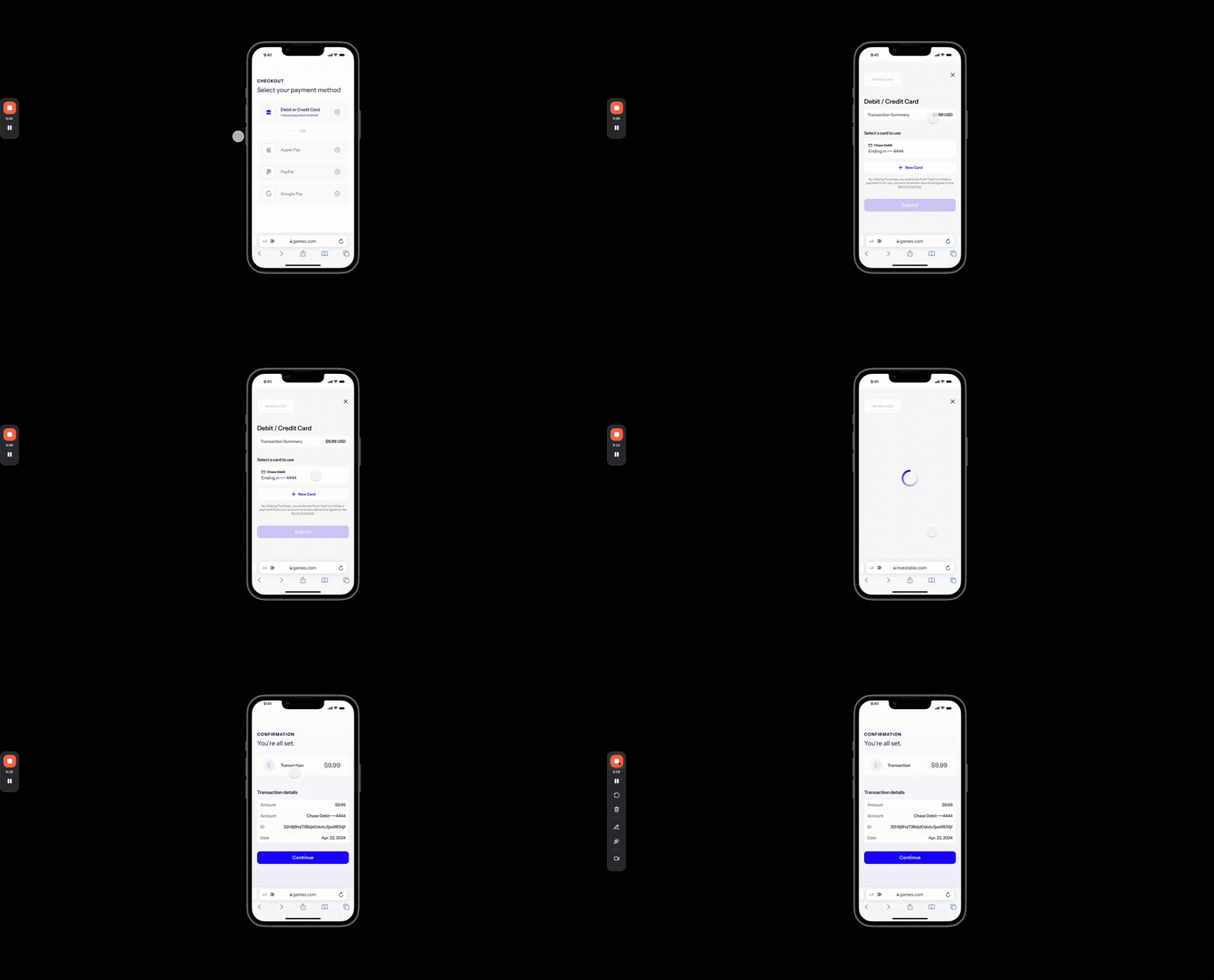
  Enable a returning user to submit a transaction using a previously-stored payment credential.

  <img src="https://mintcdn.com/pushcash/2qRXNvno32rxJfd2/stored-card.gif?s=440243a215414bea85f72f538d313084" alt="Process using a stored card" width="1336" height="720" data-path="stored-card.gif" />
</div>

## Steps

***

## Step 1: Display stored credentials and enable selection

<div className="What">
  <p className="bold-header">What you need to do</p>

  Display the user’s previously-stored payment credentials and allow them to select one for the transaction.<br /><br />

  In order to support processing a stored card, users must first be able to [process a new card](./process-a-new-card).
</div>

#### How to do it

1. Call the [list-user-credentials](./apireference/user/list-user-credentials) endpoint with the user’s ID.
2. Render the returned credentials in your UI, including the information about the linked card, account, and bank so they are easily identifiable.
3. Allow the user to select which credential they would like to use for the payment.
<Note>
  If the user is withdrawing funds, only allow them to select credentials that are enabled for withdrawals. Only credentials with type `secure_debit` can be used for withdrawals.
</Note>

## Step 2: Submit the payment for authorization

<div className="What">
  <p className="bold-header">What you need to do</p>

  Submit the payment using the credential selected by the user.
</div>

#### How to do it

1. Call the [authorize-payment](./apireference/authorization/authorize-payment) endpoint with the payment details and selected credential ID.
2. Display the result (approved or declined) to the user.

<RequestExample>
  ```bash List User Credentials theme={null}
  curl --request GET \
    --url https://sandbox.pushcash.com/user/{id}/credentials \
    --header 'Authorization: Bearer <token>'
  ```

  ```bash Authorize Payment With Credential ID theme={null}
  curl --request POST \
    --url https://sandbox.pushcash.com/authorize \
    --header 'Authorization: Bearer <token>' \
    --header 'Content-Type: application/json' \
    --data '
  {
    "user_id": "user_lVpbPL0K1XIiHx0DxipRbD",
    "credential_id": "cred_sandbox_123",
    "amount": 2500,
    "currency": "USD",
    "direction": "cash_in"
  }
  '
  ```
</RequestExample>

<ResponseExample>
  ```json List User Credentials - 200 OK theme={null}
  {
    "data": [
      {
        "id": "cred_7YlA9IiSl8UZvNwNSbFajV",
        "created_at": "2023-05-24T20:15:18.158Z",
        "card_last4": "4444",
        "authenticated": true,
        "type": "secure_debit",
        "account_last4": "0685",
        "bank_name": "Chase Bank"
      },
      {
        "id": "cred_8ZlB0JjTm9VZaOxOTcGbkW",
        "created_at": "2023-05-25T10:20:30.123Z",
        "card_last4": "1234",
        "authenticated": true,
        "type": "card_only_credit",
        "account_last4": null,
        "bank_name": null
      },
      {
        "id": "cred_9AmC1KkUn0WabPyPUdHclX",
        "created_at": "2023-05-26T14:35:45.456Z",
        "card_last4": "5678",
        "authenticated": true,
        "type": "card_only_debit",
        "account_last4": null,
        "bank_name": null
      }
    ]
  }
  ```

  ```json Authorize Payment - 200 OK theme={null}
  {
    "id": "intent_sandbox_mbDRHFi3dxIZEtykHsgUGC",
    "amount": 2500,
    "direction": "cash_in",
    "currency": "USD",
    "credential": {
      "display_name": "Chase Checking",
      "last4": "6018"
    }
  }
  ```
</ResponseExample>

## Integration checklist

* Verify that only `secure_debit` type credentials are available for withdrawals
* Test by adding a new card then submitting a second transaction using the stored payment credential.

## Next steps

Now that users can process using stored credentials, learn how to process payments which require users to complete authentication.
